
Wallpo: 3D live wallpaper
Poison Studio LLCPersonalization
4.11.25K Reviews
- Version
- 12.9
- Installs
- 1.00M
- Age Rating
- Teen
Screenshots
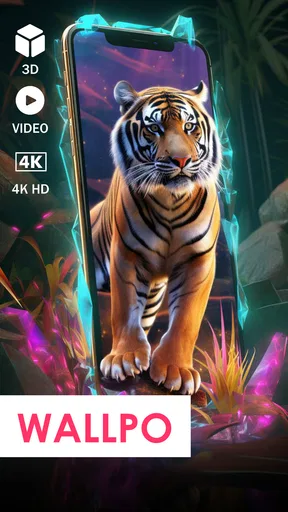
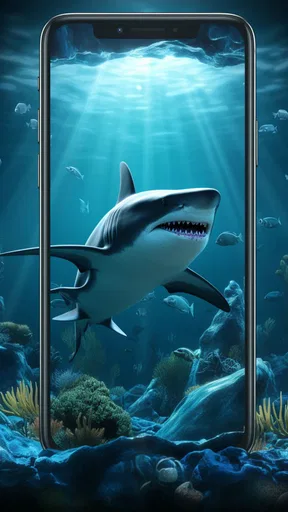

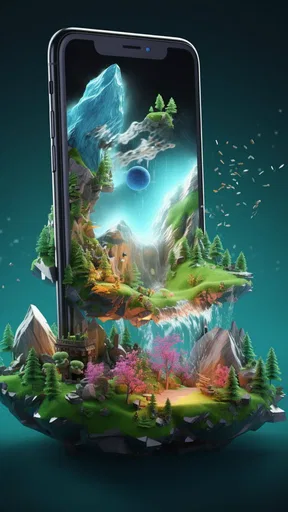
Our Review of Wallpo: 3D live wallpaper
 Analysis by Appyee
I tend to notice a phone’s wallpaper most when I’m checking the time or pausing between tasks, so a background that moves can make a familiar screen feel less routine. Wallpo: 3D live wallpaper is a personalization app from Poison Studio LLC built around that idea: it offers animated, layered backgrounds rather than only still images. I find the concept appealing when I want a little visual character without changing how I use my phone.
Readability and finding your way around
A moving background is only useful if it doesn’t make the phone harder to read. In my experience, choosing a wallpaper is less about finding the most dramatic animation and more about checking how it sits behind icons, the clock and notifications. A bright or highly detailed scene can look striking on its own yet compete with text on the home or lock screen. I’d start with a calmer design, then see how it looks with the actual icons and widgets I use every day.
The app’s appeal is its visual browsing and customization, but people who prefer a plain, low-clutter interface may find animated choices less comfortable to scan. I’d take a moment to preview a few styles instead of settling on the first eye-catching option. A good background should make the screen feel personal while leaving important information easy to spot.
First Impressions and Features
Right off the bat, Wallpo: 3D live wallpaper greets you with a sleek, user-friendly interface. It’s pretty intuitive, so you won’t need a manual to find your way around. The app offers a plethora of categories ranging from calming nature scenes to abstract art that shifts and morphs as you swipe through your home screens. It’s like having a tiny art gallery in your pocket!
The app sits in the personalization category, and its central idea is easy to understand: give the screen more depth than a fixed image can. Its store summary highlights 4K backgrounds, a video-wallpaper engine, lock-screen wallpapers and 3D backgrounds. That mix makes it worth exploring if you enjoy changing the look of your device, though I’d still judge each option by how it behaves on my own screen rather than by resolution or motion alone.
One of the coolest features has to be the motion-sensing wallpapers. As you tilt your phone, the background shifts, creating a dynamic, almost hypnotic effect. It’s subtle enough not to be jarring but definitely adds a layer of depth that static wallpapers just can’t match.
Motion, sensory comfort and practical choices
That movement is also a matter of personal comfort. Some people enjoy parallax and changing imagery; others find motion distracting, tiring or simply unnecessary during a busy day. I’d test a moving design briefly before making it the everyday background, especially if I often check my phone while walking, commuting or working. A visually quieter image may be a better fit when I need to focus on messages or read small text.
There’s a useful trade-off here: the more attention a wallpaper attracts, the less it behaves like a neutral backdrop. For a personal device used mainly for quick checks, a gentle effect can add character without demanding much notice. For a phone used for long reading sessions, frequent notifications or work, I’d choose something restrained—or return to a static image when I need the screen to fade into the background.
Personalization Options Galore
Now, if you’re anything like me, you love a good customization spree. Wallpo doesn’t disappoint in this department. You can tweak the intensity of the 3D effects, adjust colors, and even combine different elements to create something uniquely yours. There’s a certain joy in crafting a wallpaper that reflects your personal style, and this app gives you the tools to do just that.
My practical tip is to make one change at a time. If I adjust the effect intensity and colors together, it’s harder to tell what made the screen feel better—or more distracting. I’d first settle on a scene, then tune the depth, and finally check whether its colors leave enough contrast for the icons and text I rely on. That small sequence is more useful than chasing the most elaborate result.
Plus, if you’re feeling particularly creative, Wallpo lets you upload your own images and transform them with 3D magic. It’s a neat way to add a personal touch, and I found myself experimenting with all sorts of photos just to see how they’d come alive on screen.
Personal photos can make the effect more meaningful, but not every image will suit it. A picture with a clear foreground and background is a better starting point for a sense of depth than a busy image where everything sits on the same visual plane. I’d try a photo that still looks good when cropped to a phone screen, and keep a copy of the original so I can compare the transformed version with the source.
Situational access and everyday use
A realistic use for this app is changing the feel of a phone at the start of a new routine: I might pick a quiet landscape for workdays, then switch to a more colorful design when I want the device to feel less utilitarian. The lock-screen options can make the first glance at the phone feel more considered, while a restrained home-screen choice helps keep app labels legible. I’d treat the wallpaper as part of the screen’s overall layout, not as decoration in isolation.
It can also be a small creative outlet for someone who likes choosing colors and images but doesn’t want to redesign the whole interface. A custom photo offers a personal alternative to browsing ready-made art, while the adjustable effect gives room to make it more or less noticeable. If you share a device or regularly show your screen to someone else, I’d choose an image that feels comfortable and readable for both of you, rather than one that only works at a particular angle or in a particular mood.
For people who are sensitive to motion or prefer predictable visuals, the key question is whether a still option can deliver the look they want. Wallpo’s focus is live and dimensional imagery, so it makes most sense for users who actively enjoy that style. Anyone who wants a strictly static, understated background may be happier with the phone’s built-in wallpaper picker or a simpler wallpaper app.
Performance and Usability
Alright, let’s talk about performance. You might be wondering if all those fancy graphics would slow down your phone. Surprisingly, the app manages to keep things running smoothly. I didn’t notice any lag or drain on my battery, which is a huge plus. It’s optimized to ensure that even older devices can enjoy the 3D goodness without turning into a sluggish mess.
Battery use is worth checking in your own routine rather than assuming that every live background will behave the same way on every device. I’d try a chosen wallpaper through a normal day, including the way I unlock and use the screen, and then decide whether its visual effect earns its place. If battery life is a priority, or the phone already feels slow, a static wallpaper is the sensible comparison point: it has fewer moving parts and asks less of the display.
Another thing I appreciate is how Wallpo doesn’t bombard you with ads. They’re there, sure, but they’re not intrusive, which makes the overall experience much more enjoyable. It’s clear that the developers focused on keeping the app lightweight and user-friendly.
There is a free way to try it, with in-app purchases priced from $1.99 to $9.99 per item. I’d explore the experience before paying for anything and decide whether the specific customization I want is worth the extra cost. The app has a 4.3 average from around 38,000 ratings, with over a million installs, which suggests a sizeable audience for its approach; those figures are useful context, but my own choice would still come down to comfort, screen clarity and how much I enjoy the motion.
Who it suits, and where alternatives make more sense
I’d recommend it most to someone who enjoys personalizing a phone, likes animated artwork, and is willing to spend a few minutes adjusting a background until it feels right. The broad selection and custom-image option are especially appealing if you tire of a single stock wallpaper or want to give a favorite photo a different look. The app is free to start, so it’s an approachable way to see whether live backgrounds suit your habits.
By contrast, someone who mainly wants a clean, distraction-free screen may not get much value from a moving wallpaper. A built-in wallpaper picker is usually the simpler choice for a basic still image, and a static-image app may be preferable for people who want visual variety without animation. If reading contrast, motion comfort or quick access to notifications matters more than visual flair, I would prioritize those needs instead of trying to make a busy background work.
Wallpo is rated for Teens, runs on Android 7.0 or later, and its current version is 12.2. Those details make it easier to check whether it fits a particular Android device, but I’d still consider the device’s own responsiveness and display habits before choosing a live effect. It’s an Android-focused option, so iPhone users should look to the wallpaper tools available for their platform rather than expect this app to provide the same experience there.
Why You Should Give It a Try
If you’re looking to spice up your phone’s appearance, Wallpo is definitely worth a download. It’s not just about aesthetics; it’s about giving your device a little personality. Whether you’re into minimalist designs or vibrant, eye-popping visuals, this app has something for everyone.
I found that having a dynamic wallpaper actually made me more inclined to interact with my device. It’s a subtle change, but it makes a difference when you’re using your phone throughout the day. Plus, showing off your customized wallpapers to friends never gets old!
If I had to sum it up, Wallpo: 3D live wallpaper is a delightful blend of art and technology. It’s a testament to how far mobile customization has come, and I’m genuinely excited to see how it evolves in the future. So, go ahead and give it a whirl. You might just find yourself staring at your screen a little longer than usual!
An inclusive verdict
I see Wallpo as a good fit for people who want their phone to feel more personal and who can comfortably use animated visuals in their daily setting. Its flexibility is most helpful when it lets me tone a design down, choose a better color balance or make a personal image feel at home on the screen. Those choices can make the experience more adaptable, but they don’t automatically make every wallpaper suitable for every person or situation.
The main barriers are practical rather than complicated: motion can compete with information, a vivid image can reduce legibility, and a live effect may be the wrong trade-off when conserving attention or battery matters. I’d recommend giving it a careful try if customization is part of the fun for you, then keeping the design only if it remains comfortable during ordinary use. If calm, clarity and predictability come first, a still background is not a lesser choice—it may simply be the better one.
Verdict
Strengths of Wallpo: 3D live wallpaper
- Stunning 3D visuals enhance your device's appearance.
- Extensive library of live wallpapers to choose from.
- Customizable features allow personal touch to wallpapers.
- Consumes minimal battery despite rich graphics.
- User-friendly interface simplifies navigation.
Limitations of Wallpo: 3D live wallpaper
- May lag on older devices due to high graphics.
- Limited offline functionality for certain features.
- Ads can be intrusive in the free version.
- Premium content requires in-app purchases.
- Occasional crashes reported on some devices.
Similar Picks in This Category
View All
Microsoft SwiftKey AI Keyboard
SwiftKey4.3

Wallpapers
Google LLC4.1

Zedge™ Wallpapers & Ringtones
Zedge4.7

Yandex Browser with Alice AI
Direct Cursus Computer Systems Trading LLC4.3

Ringtone Maker:create ringtone
Big Bang Inc.4.7

Fonts Keyboard
Fonts Keyboard3.9
Frequently Asked Questions
What is Wallpo: 3D Live Wallpaper?
Wallpo: 3D Live Wallpaper is an app that offers a wide range of dynamic and interactive wallpapers for your device. It allows users to personalize their home screens with immersive 3D effects. These wallpapers respond to touch and motion, providing a unique and engaging experience.
How does the app affect battery life?
While Wallpo: 3D Live Wallpaper is designed to be efficient, live wallpapers can generally consume more battery than static images. The app includes settings to adjust performance and battery usage, allowing users to balance between visual effects and power consumption according to their preferences.
Is Wallpo compatible with all devices?
Wallpo: 3D Live Wallpaper is compatible with most Android and iOS devices. However, older models with outdated operating systems may experience reduced performance or lack certain features. It's recommended to check the compatibility information on the app store before downloading.
Can I customize the wallpapers?
Yes, Wallpo allows users to customize their wallpapers. You can adjust various settings such as the intensity of the 3D effects, speed, and color schemes. This enables users to tailor the wallpapers to better fit their personal style and preferences.
Are there any in-app purchases?
Wallpo offers a selection of free wallpapers, but also includes premium content available through in-app purchases. These purchases may offer access to exclusive designs, additional customization options, and ad-free experiences. It's a great way to enhance your app experience.
